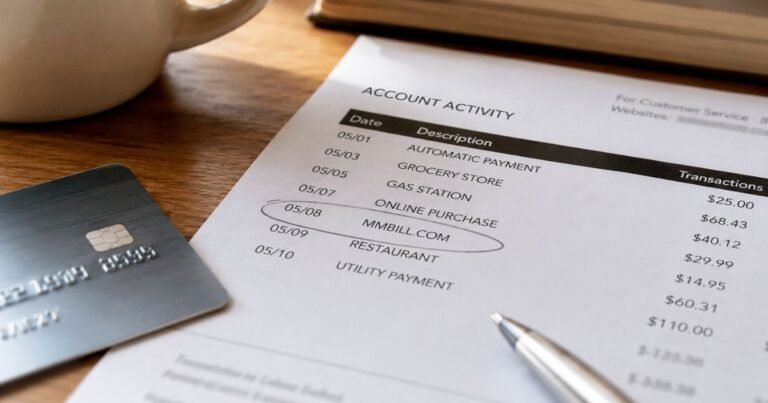
What is Your-Saving.com on Bank Statement?

Your-Saving.com on your bank statement can look like a mystery bill. The name sounds like a savings club, not a store you visited.
In many cases, this line is a payment for discounted gift cards or reloadable shopping cards. It often comes through a workplace or public-service discount portal, not a random website you typed in by hand.
What Your-Saving.com Means
Your-Saving.com charge on bank statement is typically a billing descriptor used when you buy vouchers or reloadable cards through a Reward Gateway discount program.
Reward Gateway, now part of Edenred, runs employee benefits and shopping-discount platforms for employers and partner programs.
A Reward Gateway FAQ used by workplace programs states that card orders can appear on your statement as your-saving.com.
A related voucher help page also tells shoppers that this name can show after a discount-program purchase.
The amount is usually what you paid to load a card or buy an e-voucher. It is generally not a separate “membership tax” added by your bank.
| Statement text you may see | What it often means |
|---|---|
| YOUR-SAVING.COM | Voucher or reloadable-card purchase |
| your-saving.com London GBR | Same merchant, with a UK location tag |
| REWARD GATEWAY | Parent platform name |
| RG VOUCHERS | Related voucher processor label |
| YOUR-SAVING.COM / REWARD GATEWAY | Combined descriptor |
This current name is not the same as the old U.S. “Your Savings Club” membership offers that drew complaints years ago.
Those older charges often used different labels. Match the exact wording on your statement before you assume it is that older club.
Why This Charge Appears
The usual trigger is a purchase you made for a discounted shop card. You pay Your-Saving.com. Then you spend the voucher at a grocery store, home store, or other retailer.
Common paths include:
- A workplace perks or employee-discount portal
- A public-service discount app, such as Blue Light Card in the U.K.
- A defence or teacher discount scheme linked to the same voucher platform
- A family member using a shared card on one of those portals
U.S. readers can still see this label. Reward Gateway also operates U.S. employer programs. A card used abroad, a dual-country account, or a relative’s discount login can put the same text on a U.S. statement.
Blue Light Card has said the older Reward Gateway gift-card shop closed for new purchases. Existing balances may still be usable for a time.
New shopping-card buys may now sit inside the partner app instead. Your statement name can still lag behind that change.
How to Confirm the Charge Is Yours
Start with the date and the exact amount. Then look for a matching order.
Search your email for “Reward Gateway,” “voucher,” “reloadable,” “Blue Light,” or your employer’s benefits brand. Check spam. Many confirmations land there.
Log in to the portal you actually used. Look under purchases, instant vouchers, or card balance. The total you loaded should generally match the bank line.
Ask anyone who shares the card. A spouse, teen, or visiting relative may have topped up a shop card and forgotten to tell you.
If your bank shows extra detail, note the city or country tag. “London GBR” is a common clue that the processor is the U.K. voucher platform.
What If You Do Not Recognize Your-Saving.com
Stay calm and gather proof before you dispute. Many people forget a grocery-card top-up because the store name never appears.
If you have no portal login and no email, treat the debit as unverified. Call the number on the back of your card or in your banking app. Ask the bank for the full merchant detail.
You can also use the official Reward Gateway contact page or the help page that exists for people who only noticed the charge after it posted. Ask for the order date, last four card digits, and any voucher still sitting unused.
Do not use a phone number from a pop-up, text, or social ad. Those can be copycat scams that borrow a real merchant name.
Refunds, Unused Vouchers, and Repeat Charges
Refund rules depend on what you bought and whether you already viewed or activated it.
Reward Gateway terms used on some partner sites generally allow a refund window for unused instant vouchers and unactivated physical cards, often within about 30 days.
Once you view or spend the voucher, a refund may no longer be available.
That is the company’s published-style rule on those partner pages. It can vary by program. Do not count on a refund until the portal or helpdesk confirms it in writing.
A second charge is not always fraud. People sometimes tap “buy” twice when a voucher is slow to appear at the register.
They then pay the store in full and still get billed for the unused voucher. Save both receipts if that happened.
If charges keep posting and you never set a recurring plan, ask the merchant to stop saved-card billing. Then ask your bank to block future debits from that merchant if needed.
Is Your-Saving.com a Scam?
The Your-Saving.com label itself is generally a real processor name for Reward Gateway voucher sales. That does not mean every charge is a purchase you meant to make.
Look closer if:
- You never used a workplace or discount portal
- Nobody in your household recognizes the amount
- Several similar debits posted in one day
- A caller demands a new payment to “release” a voucher
A scam email can copy this name. A real order usually leaves a portal record and an email. If those are missing, work with your bank the same day.
Practical Next Steps
Use this short checklist.
- Match the amount to a voucher or card top-up.
- Open the benefits app or website you used.
- Ask household card users about recent shop-card loads.
- Contact Reward Gateway or the partner helpdesk only through official pages.
- Call your bank if nothing lines up.
Keep screenshots of the order and the statement line. Those two items usually solve most mix-ups.
FAQs About Your-Saving.com On Bank Statement
Q. Why doesn’t the store name show on my statement?
A. You typically paid the voucher platform, not Tesco, Argos, or another retailer. The store charge happens later when you redeem the card or code. Your-Saving.com is the middle step.
Q. Can a U.S. bank account show Your-Saving.com?
A. Yes. Reward Gateway runs employer programs in more than one country, including the United States. A U.K. discount app, a work portal, or a shared card can also place this descriptor on a U.S. statement.
Q. Does this charge mean I joined a monthly savings club?
A. Usually no. Current Your-Saving.com lines are typically one-time voucher or top-up payments. Recurring amounts still deserve a check. Confirm there is no saved card on a portal you forgot.
Q. How do I stop another Your-Saving.com debit?
A. Remove the saved card in the benefits or voucher account, and do not reload a shop card. If an unrecognized debit already posted, ask the official helpdesk and your bank to review it.
Conclusion
Your-Saving.com on your bank statement typically means a Reward Gateway discount-voucher or reloadable-card payment. The store you shopped may never appear on that line.
Match the amount to your workplace portal, discount app, or family purchase. If no order exists, treat the debit as unverified and review it with the official merchant channel and your bank.
Disclaimer
This article is for general information only. It is not financial, legal, or consumer-rights advice. Merchant names, refund windows, and portal rules can change and may vary by employer program and bank. Confirm any Your-Saving.com charge with your benefits account, the company’s official help pages, or your bank.