What is Amazon Marketplace NA PA Charge on Credit Card?

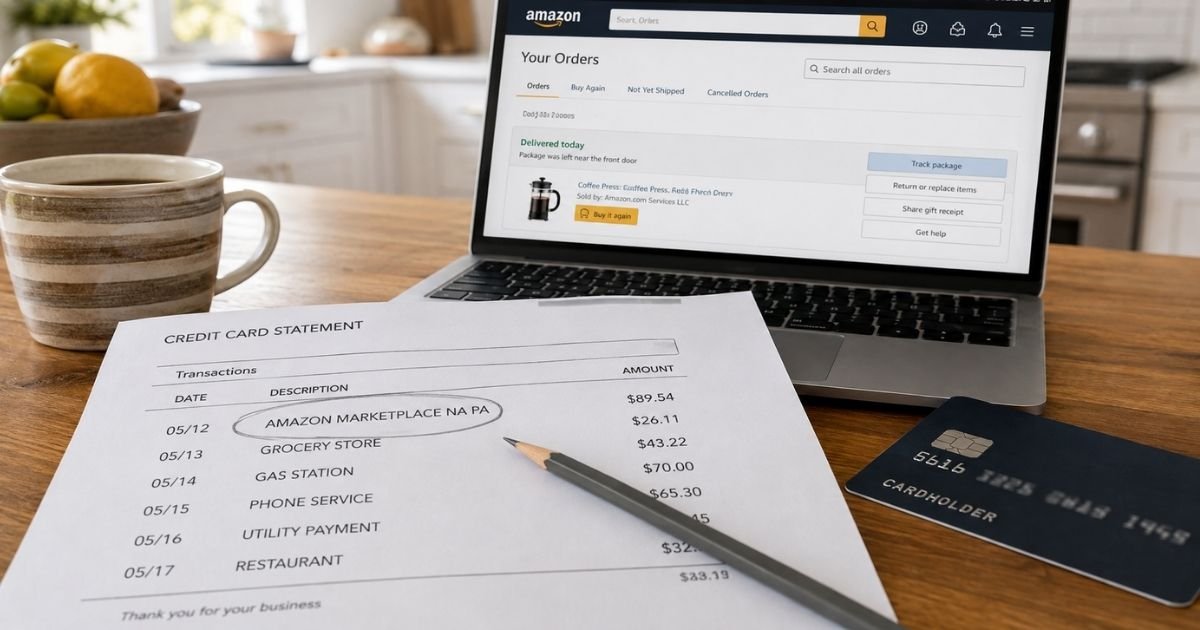
You see Amazon Marketplace NA PA charge on credit card and pause. The wording looks official, but it does not match a product name you remember.
That label is usually Amazon, not a random new company. You can typically match it to an order in a few minutes.
What Amazon Marketplace NA PA Means
Amazon Marketplace NA PA is generally a billing descriptor. A billing descriptor is the short merchant name your card issuer prints on a statement.
Amazon Marketplace typically means the charge ran through Amazon’s store payment system. NA usually stands for North America, the U.S., Canada, and Mexico store group.
PA is commonly a two-letter suffix added by the card network or issuer. Many readers treat it as Pennsylvania, where Amazon has large fulfillment operations.
Amazon’s public help page does not define those two letters on their own, so treat PA as a location or formatting tag, not a separate bill.
Amazon lists related wording such as AMAZON MKTPLACE PMTS and AMZN Mktp US as charges tied to an Amazon.com purchase. Your bank may spell that out as Amazon Marketplace NA PA.
How This Charge Differs From Other Amazon Labels
Amazon uses more than one statement name. The same account can show several of them in one month.
| Statement text you may see | What it typically covers |
|---|---|
| Amazon Marketplace NA PA | North American Amazon store purchase, often on Amex |
| AMZN Mktp US or AMAZON MKTPLACE PMTS | Amazon.com purchase processed as marketplace payments |
| Amazon.com or AMZN.COM/BILL | Amazon.com purchase or bill wording used by some issuers |
| AMAZON PRIME | Prime membership |
| Amazon Digital Svcs | Kindle, apps, video, or other digital items |
| AmazonFresh | Grocery order |
| AMZ* plus another company name | Amazon Pay used on a site outside Amazon |
The exact letters can change by issuer. Match the dollar amount and date first.
Why the Charge May Not Match the Day You Clicked Buy
Amazon generally does not take the full payment the second you place a physical order. It typically charges when that item ships.
A hold or authorization can appear first. That hold is a check with your bank. It is not always the final posted charge.
One cart can split into two or more shipments. Each shipment can post as its own Amazon Marketplace line. That is why one order can look like two bills.
Digital items and some subscriptions often post right away. A Kindle book or app buy will not wait for a truck.
Preorders and back-ordered goods can post days or weeks later. The statement date follows the ship date, not the click date.
Common Reasons You See Amazon Marketplace NA PA
The most common reason is a regular order on Amazon.com. The item may be sold by Amazon or by a third-party seller on the same site.
Look at the Sold by line on the order. A name other than Amazon.com usually means a marketplace seller. Payment still runs through Amazon, so the card text stays generic.
Subscribe & Save refills can post on a schedule you forgot. So can a household member using a shared account or a saved card.
Gift orders you placed for someone else still hit your card. The package never arrives at your door, so the charge feels random.
Amazon Pay can also create confusion. If you used Amazon to check out on another website, the charge may still look like Amazon even though the goods came from elsewhere.
A cancelled order can leave a pending authorization. Amazon says that authorization is not the final charge if the order never shipped. Your issuer may still show it for a few days.
A retrocharge can appear if you received a refund but did not return an item as required. Amazon describes that as a later collection on the original payment method.
How to Match the Charge to Your Amazon Account
Sign in to the Amazon account tied to that card. Start with Your Orders and filter to the charge date.
Then open Your Transactions under Your Payments. That list is built to match statement amounts and dates to order numbers.
Compare the posted amount to each shipment total, not only the original cart total. Tax, shipping, and split boxes often change the number you remember.
Check Your Memberships and Subscriptions for Prime, channels, and auto-renew plans. Check Your Digital Orders for Kindle and app buys.
If the amount still hides, look at Amazon Pay history. An outside-site checkout can sit there instead of in regular Orders.
Ask anyone who shares the account or the card. A spouse, child, or roommate order is one of Amazon’s own listed reasons for an “unknown” charge.
Save a screenshot of the matching order. That record helps if you later talk to Amazon or your issuer.
What to Do If You Still Do Not Recognize It
Stay on Amazon first when the descriptor clearly says Amazon. Support can search by date, amount, and the card’s last four digits.
Have the statement date and the full descriptor ready. Do not email your full card number unless Amazon specifically asks through an official channel.
If Amazon finds no order, treat it as possible unauthorized use. Change your Amazon password. Turn on two-step verification. Review saved addresses and payment methods.
Call your card issuer next. Ask about an unauthorized charge or billing-error dispute. Time limits often run from the statement date, commonly about 60 days under federal card rules, and they can vary by issuer.
You can ask the issuer to replace the card if the number may have been stored or stolen. Watch the next statement after any cancel or dispute.
Pending charges can drop off on their own after a cancelled order. Give those a few business days before you file a dispute, unless the amount is large or clearly fraud.
How to Reduce Surprise Amazon Charges
Turn on Amazon order and shipment emails. Those notes make a later Marketplace line easier to place.
Use issuer alerts for every Amazon posting over a dollar amount you choose. A $20 alert catches many forgotten refills.
Remove extra cards from the Amazon wallet if you do not need them. Fewer saved cards means fewer mystery drafts.
Review Subscribe & Save and digital memberships every few months. Cancel what you no longer use before the next cycle.
Use a virtual card number for one-off checkouts if your bank offers one. You can shut that number off without closing the main account.
FAQs About Amazon Marketplace NA PA Charge on Credit Card
Q. Is Amazon Marketplace NA PA a scam?
A. It is generally a real Amazon billing descriptor, not a separate unknown store. Fraud can still use a stolen card on Amazon, so match the amount in Your Orders or Your Transactions before you ignore it.
Q. Does NA PA mean I was charged sales tax in Pennsylvania?
A. Not by itself. NA typically points to Amazon’s North American store. PA is often a location or issuer code and does not automatically explain the tax line on your order. Check the order summary for the actual tax.
Q. Why did one Amazon order become two Marketplace charges?
A. Amazon typically charges when each shipment leaves, not when you click Place order. Split boxes, mixed sellers, and partial stock can create two posted amounts that add up to the original order.
Q. Should I dispute Amazon Marketplace NA PA with my bank first?
A. Start with Amazon when the name is clearly Amazon and you can sign in. If Amazon has no matching order, or the charge looks unauthorized, contact your card issuer and ask about a dispute.
Conclusion
An Amazon Marketplace NA PA charge on credit card typically means Amazon billed a North American store purchase. The extra letters are usually formatting, not a new merchant.
Match the date and amount in Your Transactions, then cancel any plan you do not want. If the line still has no order behind it, contact Amazon and your card issuer promptly.
Disclaimer
This article is for general information only. It is not financial, legal, or tax advice. Statement wording, charge timing, refunds, and dispute rules vary by Amazon account and by card issuer. Verify account-specific questions with Amazon or your bank before you act.