CSC ServiceWorks Charge on Bank Statement [Uncovered]

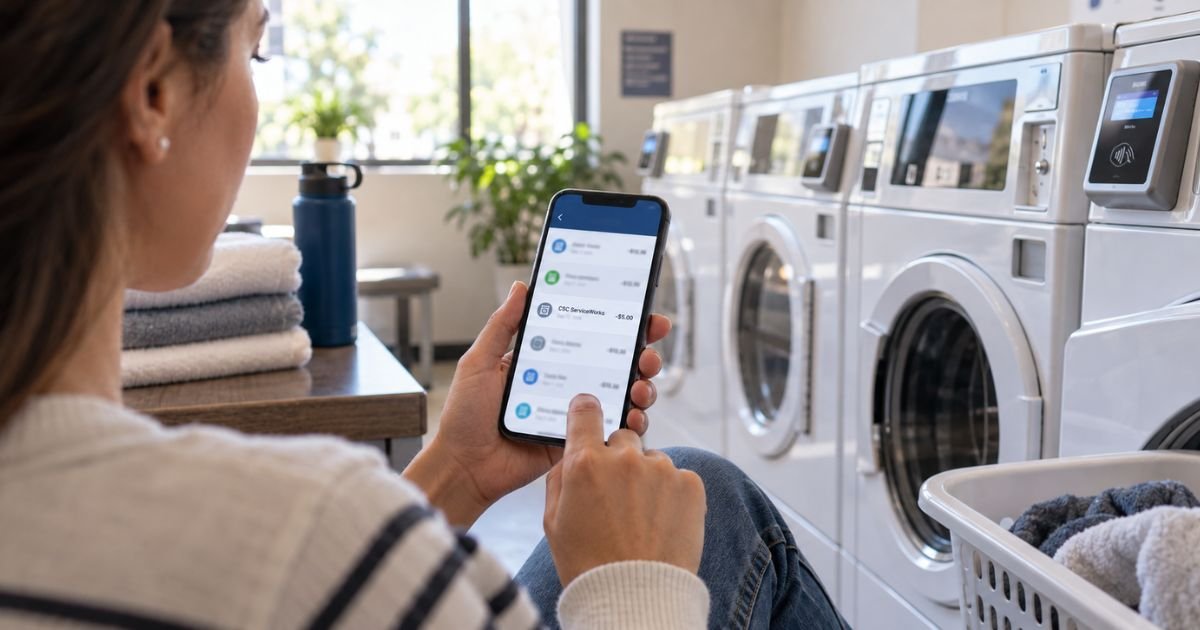
A CSC ServiceWorks charge on bank statement can look random. The name is long. The city on the line may not match where you live.
You typically paid a small amount at a shared washer, dryer, laundry app, or a card-pay air or vacuum machine. Your bank prints the machine operator, not your apartment or gas station name.
What Is a CSC ServiceWorks Charge on Your Bank Statement?
A CSC ServiceWorks charge on bank statement is generally a payment to CSC ServiceWorks. That company runs many shared laundry machines in apartments, dorms, hotels, military housing, and some laundromats.
It also operates many card-pay air and vacuum machines at gas stations and similar sites. You usually start a cycle by tapping a card, using a laundry card, or paying in an official app such as CSC GO or CSCPay Mobile.
Do not mix this up with the three-digit card security code on the back of your card. That code is also abbreviated CSC. The statement line is a merchant charge, not a bank security fee.
How the Charge May Appear
Banks shorten merchant names. Read the full string, not just the first few letters.
You may see lines like these:
| What you may see | What it often means |
|---|---|
| CSC SERVICEWORKS | Standard company billing name |
| CSC SERVICE WORK | Same firm with a space added |
| CTLP*CSC SERVICEWORKS MELVILLE NY | Processor prefix plus billing city |
| CSC SERVICEWORKS MELVILLE NY | Company name with New York tag |
| CSC GO | Payment through the CSC GO app |
| COINMACH or MAC-GRAY | Older related brand still used in some buildings |
Melville, NY is generally a billing or processing location. It does not mean you traveled there.
A short prefix such as CTLP is typically a payment processor tag. The merchant behind it is still CSC ServiceWorks.
Why You Typically See This Charge
The most common reason is a recent laundry cycle. You or someone who uses your card paid for a washer, a dryer, or both.
A reload can post the same way. You may have added money to a CSC GO wallet or a property laundry card.
A small charge on a travel or gas-station date may be air or vacuum, not laundry. Those machines often cost about one to a few dollars.
Pending or pre-auth lines can look larger at first. The machine may hold funds, then settle to the real cycle price. Timing can vary by issuer.
Typical Amounts You Might Recognize
Prices are set by the property or site, not by one national menu. Still, many consumer charges fall in a familiar range.
| Service | Typical amount range | Common place |
|---|---|---|
| Washer cycle | About $1.50 to $4 | Apartment, dorm, hotel, laundromat |
| Dryer cycle | About $1.50 to $4 | Same laundry room |
| Wash plus dry on one visit | About $3 to $8 | Same visit |
| Air or vacuum | About $1 to $2.50 | Gas station or similar site |
| App or laundry-card reload | Often $5 to $20 | CSC GO, CSCPay, or card kiosk |
These figures are examples, not a promise. Your building may charge more or less.
How to Confirm the Charge Is Yours
Start with the date and the amount. Match them to a laundry trip, a hotel stay, a campus visit, or a stop for tire air.
Ask anyone who shares the card. A roommate, partner, or teen may have used a machine and forgotten the name on the receipt.
Open the app you used, if you have one. CSC GO and CSCPay Mobile typically show recent cycles and wallet loads.
Look at the machine sticker next time you wash. Many machines list a machine ID. That number helps if you later need help.
If your bank app shows a merchant city only, that city can still be Melville even when you paid in another state. That is common with national operators.
What to Do If You Do Not Recognize It
Stay calm and gather details first. Write down the posted date, the exact amount, and the full descriptor.
Check pending charges too. A hold can drop or shrink after the machine settles.
If you still do not recognize it, contact CSC ServiceWorks before you assume fraud. Use the official site at cscsw.com, not a random page that ranks for the charge name.
The company’s help pages generally list a refund form for one machine.
They also list (877) 264-6622 when funds were lost in two or more machines. Hours on that help page are typically 6:30 a.m. to 7:30 p.m. Central Time on weekdays and 8:00 a.m. to 4:30 p.m. on weekends.
A general customer number listed on official CSC pages is 1-844-272-9675. App screens may show a different care number. Use the number inside the app you actually paid with when you can.
Have the machine ID, property address, date, and amount ready. That speeds the call.
If the charge is truly unauthorized, call the number on the back of your card as well. Your issuer can review the line under its dispute rules. Outcomes vary.
How to Request a Refund If a Machine Failed
Refunds are typically considered when a cycle did not start, did not finish, or posted twice. They are not automatic for every complaint.
If you paid in CSC GO or CSCPay Mobile, start in the app. Look for a service or refund request tied to that cycle.
If you paid at the machine without the app, use the refund tools on cscsw.com. The help section points to an online request for one machine.
Note the machine ID before you leave the laundry room. It is usually on a plate or sticker on the front of the washer or dryer.
CSC’s help page says a mailed refund check typically takes 12 to 15 business days and should be cashed within 90 days. Timing can vary.
Leftover value on a physical laundry card is a different process.
The company says to mail the card to Card Services at 1204 W Bethel Rd Suite 160, Coppell, TX 75019, with your name, property details, and how you want the balance handled.
Ask your management office whether your property allows that type of refund.
Do not mail your debit or credit card. Mail only the laundry card if you follow that process.
How to Avoid Surprise Charges Next Time
Save a screenshot after you pay. A date, amount, and machine number solve most “what is this” moments later.
Use one payment method for laundry when you can. Mixing a wallet load and a tap-to-pay cycle makes statements harder to read.
Watch pending authorizations. If a hold looks high, wait for the final post before you dispute it.
Read the price on the screen before you start the dryer. Extra time can add a second small charge.
If you move out, ask how unused laundry-card funds work. Rules generally depend on the property, not only on the brand name on the machine.
FAQs About CSC ServiceWorks Charges
Q. Is a CSC ServiceWorks charge on my bank statement a scam?
A. Usually no. CSC ServiceWorks is a real laundry and air-vending operator with an official site at cscsw.com. Still verify the date and amount against a machine you used. If nothing matches, contact the company and your bank.
Q. Why does the charge say Melville, NY if I washed clothes in another state?
A. Many issuers print the merchant’s billing or processing city. CSC ServiceWorks is associated with Melville, New York. That tag generally does not mean you were in New York that day.
Q. Can I get my money back if the washer took payment and did not start?
A. You can typically request a refund through the CSC app or the refund tools on cscsw.com. Have the machine ID, date, and amount ready. Approval and timing may vary.
Q. What should I do if I see several small CSC ServiceWorks charges in one week?
A. Compare each date with laundry visits, dryer add-ons, or wallet reloads. Multiple small posts are common if you ran more than one cycle. If a line is a true duplicate, report that specific amount to CSC first, then your issuer if needed.
Conclusion
A CSC ServiceWorks charge on bank statement is typically a small payment for a shared washer, dryer, laundry-card reload, or a card-pay air or vacuum machine. Match the date and amount to a real visit, then use the official app or cscsw.com if a cycle failed.
Most readers who check the laundry room or gas-station stop recognize the line within a few minutes. If you still cannot place it, use the company’s listed support channels and the number on the back of your card.
Disclaimer
This article is for general information only. It is not financial, legal, or billing advice. CSC ServiceWorks policies, statement descriptors, prices, phone numbers, and refund rules can change and may vary by property, app, and card issuer. Confirm account-specific questions with CSC ServiceWorks or your bank.