What is Steamgames.com Charge on Credit Card?

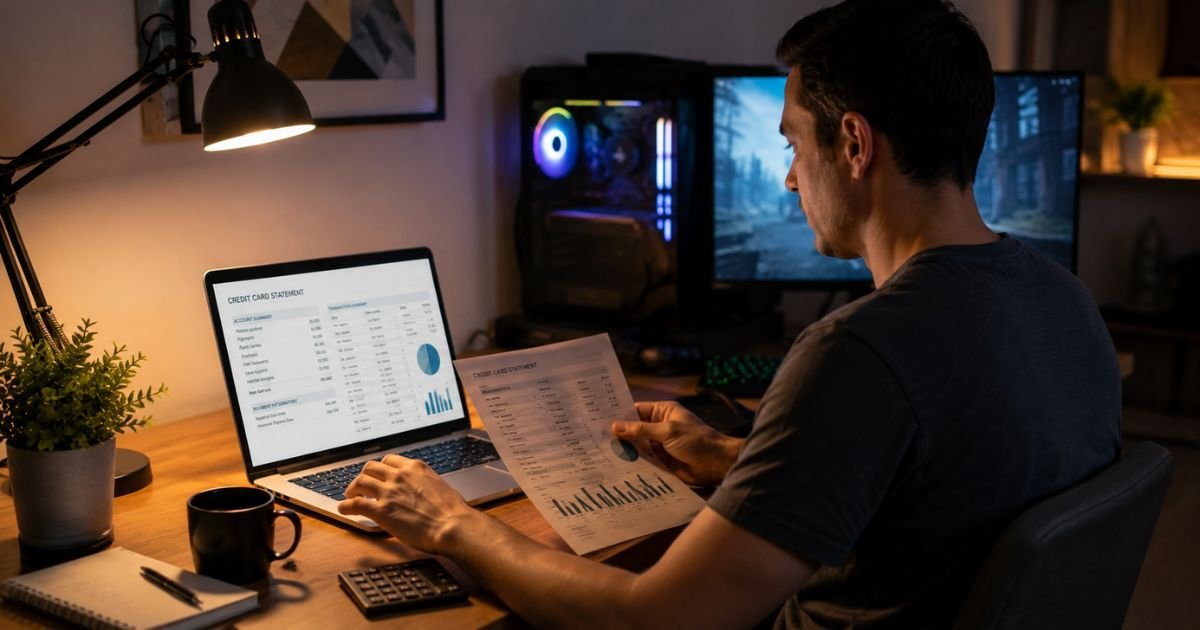
A Steamgames.com charge on a credit card usually comes from Steam, the game store run by Valve. It is a billing name, not a separate shop you never heard of.
The same purchase can also print as Steampowered.com, Valve, or Steam Games. A Bellevue, Washington city or a 425 number is common. That is Valve’s longtime home area, not proof you traveled there.
The descriptor being real does not mean every charge is yours. Match the date and amount in Steam first.
What Does a Steamgames.com Charge on a Credit Card Mean?
A Steamgames.com charge on credit card is Steam’s merchant descriptor. Banks print a short seller name. Valve uses a few of them, so the line may not say “Steam Store.”
Steam Support treats unrecognized charges from Valve Software, Steampowered.com, or Steam Games as the same family of bills. You check household users, then Steam purchase history, then your bank if the totals still disagree.
Steamgames.com generally redirects to the official Steam store. Partner pages under that domain have also been tied to Valve. A look-alike site that is not Steam can still exist.
Always type store.steampowered.com or help.steampowered.com yourself. Do not tap a link from a chat or email.
Why the Name Looks Different From “Steam”
Card networks have short text fields. Valve may send:
- STEAMGAMES.COM
- STEAMPOWERED.COM BELLEVUE WA
- VALVE or VALVE GMBH with a city such as Hamburg
- A 425 area-code string next to the name
- PAYPAL and Steam if you paid through PayPal
If your card was issued outside the United States, billing can run through a Valve affiliate. That is why some statements show Germany or another country after a purchase you made at home.
A pending hold and a later posted charge can look like two bills for one game. Steam has told users that the bank hold is not a second collection. Compare Steam history, not only the bank app.
What You Usually Paid For
Open Steam and go to Account, then Purchase History. Official history lives on the Steam account pages Steam Support points people to.
Common matches include:
- A game, soundtrack, or season pass
- Downloadable content or an in-game item
- Steam Wallet funds
- A gift sent to another account
- Steam Deck or hardware, if you ordered it
- A subscription billed through Steam
- Community Market activity after you verified a card
- A tiny authorization used to confirm a new card
Steam’s card-verification process can place two small pending authorizations. Steam says those holds can take up to 30 days to leave your statement, even if you never finish verification. They are not meant to stay as collected charges.
Banks may also add their own foreign-transaction fee or conversion. Steam Support notes that the wallet total and the card total can differ for that reason. Steam does not set your bank’s fee.
| What you see | What to check first |
|---|---|
| Steamgames.com plus a game-like amount | Steam Purchase History |
| Two tiny pending amounts after adding a card | Steam card verification holds |
| Steampowered.com Bellevue WA | Same Steam purchase on that date |
| PayPal plus Steam or Valve | PayPal activity and the invoice ID |
| Same amount twice in two days | One hold and one posted sale |
Ask anyone who uses your computer, console, or card. A child, roommate, or authorized user is a frequent source of “mystery” Steam lines.
How to Confirm the Charge in a Few Minutes
- Write down the exact descriptor, date, and amount.
- Sign in to Steam on the desktop app or at the official store site you type yourself.
- Open Account Details and Purchase History.
- Match the amount. Sales tax can make the card total a bit higher than the sticker price.
- If you paid with PayPal, open PayPal and find the invoice ID. Steam Support asks for that ID when the bank line is a PayPal charge.
- Check Steam Guard login history and devices if the purchase is not yours.
Steam Support has a help path for unknown charges.
It asks for the statement name, exact amount, date, card brand, last four digits, and a way to reach you.
It warns that staff will never ask for your full card number, expiration date, or CVV. Anyone who asks for those is not Steam.
If the history is empty but the card was charged, treat it as a card problem, not only a Steam password problem. Someone can use a stolen card number on a different Steam account.
When It May Be Fraud
A real Valve descriptor can still hide theft.
Take it seriously if:
- Nothing in Purchase History matches
- You see logins or devices you do not know
- Several large Steamgames.com charges hit in one night
- You never added that card to Steam
- You clicked a “Steam support” link from Discord, email, or a trade chat
Change your Steam password. Enable Steam Guard. Remove the saved payment method. Then call the number on the back of your card and report the line.
A chargeback can lock the Steam account that used the card. That is a tradeoff when the purchase was on your own account.
Steam’s unknown-charge help is built for this sequence. Use it, then follow your issuer’s dispute steps if the charge is still wrong.
Watch for phishing. Fake “refund” pages steal logins. Stay on help.steampowered.com after you type it.
How to Keep Surprise Steam Charges Down
- Turn on card alerts for every posting
- Use Steam Guard on a dedicated authenticator
- Do not save a debit card if you share the PC
- Set a family PIN or keep kids on their own account with spending limits
- Review Purchase History after every sale event
- Remove old cards when you replace them
A Steam Wallet balance spends first on many checkouts. That can make the card charge smaller than the game price, or skip the card entirely. That is normal, not a missing refund.
FAQs About Steamgames.com Charge on Credit Card
Q. Is Steamgames.com a fake site stealing from my card?
A. Steamgames.com is a billing name Valve has used for Steam. The official store you should use is the Steam site you type yourself. A charge with that descriptor is often real Steam. Still match it in Purchase History. A stolen card can be used on the real store too.
Q. Why do I see Bellevue, Hamburg, or a 425 number?
A. Those are common Valve billing details. Bellevue is in Washington, where Valve has long been based. Some cards process through a Valve company in another country. The city on the line is not where you were sitting.
Q. Why was I charged $1 twice from Steamgames.com?
A. Two small pending amounts often appear when Steam verifies a new card, especially for Community Market use. Steam says the authorizations can linger up to about 30 days, then drop. If the amounts stay collected and you never added a card, contact Steam Support and your issuer.
Q. How do I dispute a Steamgames.com charge on a credit card?
A. First compare Steam Purchase History and household users. If it is still unknown, use Steam’s official unknown-charge help. Then report the line to your card issuer with the date and amount. Remove the card from Steam so a stored method cannot bill again.
Conclusion
A Steamgames.com charge on a credit card is typically Steam billing from Valve, not a random storefront. Check Purchase History, card-verification holds, and anyone who shares your account.
If the amount is still wrong, use official Steam Support and your card issuer, and never give a full card number to anyone claiming to be Steam.
Disclaimer
This article is for general information only. It is not financial or legal advice. Steam descriptors, refunds, and bank fees vary. Verify any Steamgames.com charge on a credit card against your Steam Purchase History and with your card issuer before you dispute or pay it.