SP+AFF Charge on Debit Card [Uncovered]

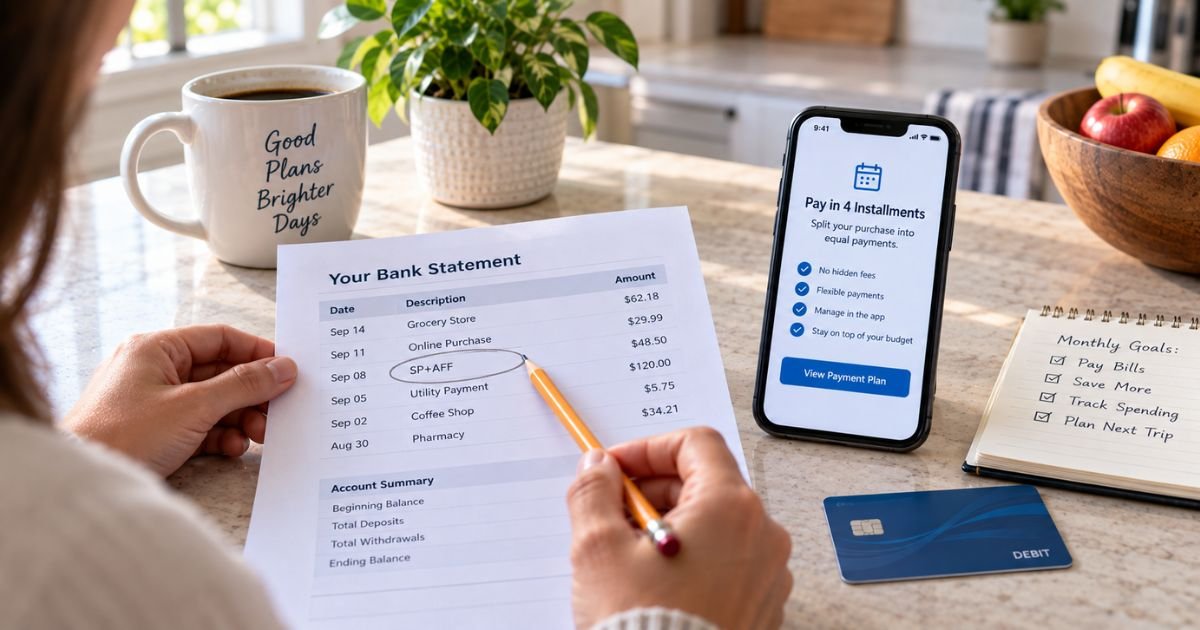
You open your checking app and see SP+AFF. It does not look like the store you shopped. It also does not look like a parking garage.
That short code is usually a payment label, not a new company. In many consumer reports, an SP+AFF charge on a debit card is an Affirm installment payment.
What Is an SP+AFF Charge on a Debit Card?
An SP+AFF charge on debit card is a merchant descriptor. Banks print a short name when Affirm, or a similar processor path, pulls money from the card you saved.
Affirm is a U.S. buy-now-pay-later service. You choose it at checkout, then repay the purchase in scheduled payments. Affirm can debit a linked debit card for a down payment, a Pay-in-4 installment, a monthly loan payment, or an AutoPay draft.
Consumer statements often show SP+AFF, SP AFF, SP*AFF, SP+AFF AFFIRM, or SP AFF San Francisco CA. Some lines also print 855-423-3729. That number is Affirm’s published customer care line on its official Help Center.
Affirm has not posted a public glossary that spells out every letter in “SP+AFF.” Treat the Affirm match as the usual reading when the date, amount, phone, or city line up. Then confirm it in your Affirm app. Do not skip that check.
SP+ parking is a different business. SP Plus Corporation runs airport and city garages and often bills as SP PLUS, SP+ PARKING, or a city name. An AFF tag plus San Francisco or Affirm’s phone is a stronger Affirm signal than a parking lot.
A Shopify Payments line can also start with SP and then a store name, such as SP JANE CERAMICS. Read the words after SP. The extra text tells you which path you are on.
How SP+AFF May Appear on Your Statement
Issuers cut and shuffle the same payment. Match the amount first.
| What you may see | What it often points to |
|---|---|
| SP+AFF or SP AFF* | Often an Affirm installment or down payment |
| SP+AFF plus 855-423-3729 | A strong Affirm clue. That number is Affirm’s published support line |
| SP AFF San Francisco CA | Affirm’s historic headquarters city, not a shop you visited |
| SP+AFF plus a store or brand name | An Affirm plan tied to that merchant |
| AFFIRM or AFFIRM PAY | A clearer Affirm label used by some banks |
| SP PLUS or SP+ PARKING plus a city | Typically SP Plus parking, not Affirm |
| SP plus a shop name only | Often a Shopify store payment |
A pending hold can post a day later. AutoPay can hit on a due date that is not the day you clicked “buy.” The store already got paid. You now owe Affirm on a schedule.
Why This Hits a Debit Card
Affirm’s help pages say a debit card can be used for down payments, one-time payments, and recurring AutoPay on eligible plans. A bank account, credit card, Apple Pay, or Affirm Money account may also be options, depending on the plan.
That is why the store name disappears. The retailer charged Affirm. Affirm then charged the payment method in your Affirm account. Your bank shows Affirm’s short billing name, not “Walmart,” “Apple,” or “the mattress shop.”
A family member can create this line too. Someone who used your debit card, or an email you share, may have checked out with Affirm. The first payment and later AutoPay drafts can look different if one was a down payment and the next was a smaller installment.
How to Confirm the Charge in Affirm
Do this before you call your bank.
- Write down the posted date and exact amount.
- Sign in at affirm.com or open the Affirm app.
- Open Manage and review each active plan.
- Match the amount to a down payment, installment, or AutoPay draft.
- Read the merchant name inside Affirm. That name is often clearer than SP+AFF.
- Search email for “Affirm” and the charge date.
If you have more than one email, check each one. Affirm accounts follow the email and phone used at checkout.
A last payment can be smaller or larger than the ones before it. Reddit users have described that exact mix-up. The descriptor stayed SP+AFF. Only the dollar amount changed.
If nothing in Affirm matches, look at parking receipts and Shopify order emails next. Then treat the charge as unrecognized.
Is SP+AFF a Scam?
The label itself is not proof of fraud. Affirm is a real company, and many people see this descriptor after a checkout they authorized.
Still, an odd code can hide a plan you did not mean to open. Be careful if:
- You have no Affirm login and no confirmation email
- Nobody in your household used buy-now-pay-later
- The amount does not match any Affirm schedule
- Extra SP+AFF drafts appear in the same week
- You recently entered card details on a site you do not trust
Affirm’s Help Center has a path to report an unauthorized account or payment plan. Affirm says it investigates those claims and can pause payments on plans reported as unauthorized while it reviews the case. Use Affirm’s site or the published 855 number. Do not call a number from a random text.
How to Stop Future SP+AFF Debit Card Charges
Stopping the name means changing the Affirm payment, not arguing with the original store.
In the Affirm app or on affirm.com you can typically:
- Turn AutoPay off at least three days before the next U.S. due date, per Affirm’s AutoPay help page
- Change the saved debit card
- Make a one-time payment another way
- Pay off the remaining plan balance if you want the drafts to end
Affirm notes that a change made too close to the due date may miss that cycle. A payment already in motion can still post.
Turning AutoPay off does not erase what you still owe. It only stops the automatic debit. Missed Affirm payments can still affect the plan and, for many loans, credit reporting. Read the terms in your Affirm account.
If the debit card was stolen, lock that card with your bank. Then update Affirm so a replacement card is not pulled by mistake, or so AutoPay does not keep failing.
What to Do If You Do Not Recognize SP+AFF
Stay calm and work in order.
- Match the amount in Affirm.
- Ask household members who shop online.
- Call Affirm at 855-423-3729 if the app has no matching plan. Affirm lists that line for customer care from 8:00 a.m. to 11:00 p.m. Eastern Time, seven days a week.
- If Affirm has no record, call the number on the back of your debit card.
- Ask your bank about an unauthorized electronic debit. Regulation E often covers consumer debit-card and ACH errors when you report them in time.
Keep screenshots of the bank line and the Affirm activity screen. Those two pictures save time on both calls.
Do not pay the same bill twice while you wait. A pending SP+AFF hold and a posted installment can look like two charges for one payment.
SP+AFF Versus Parking and Shopify
Three “SP” families confuse people.
Affirm / SP+AFF.
Look for AFF, Affirm, San Francisco, or 855-423-3729. The amount should match an installment schedule.
SP Plus parking.
Look for SP PLUS, PARKING.COM, a garage city, or an airport lot. Match a parking receipt or reservation email.
Shopify Payments.
Look for SP and then a store name you recognize. Match an online order confirmation.
If your line is only “SP+AFF” with no store and no garage, start with Affirm. That is the most common consumer report for this exact string.
How to Keep Installment Labels From Surprising You
A few habits make the next coded debit easier to read.
- Turn on Affirm payment reminders in the app.
- Turn on bank alerts for debit-card purchases over a set amount.
- Use one payment method per Affirm plan when you can.
- Write the due date next to the merchant name after checkout.
- Review AutoPay when you return an item financed with Affirm.
A return at the store does not always stop Affirm on the same day. Watch both the merchant refund and the Affirm plan until both show the change.
FAQs About SP+AFF Charge on Debit Card
Q. What is an SP+AFF charge on a debit card?
A. It is usually a short billing name for an Affirm payment. Affirm is a buy-now-pay-later service that can debit a card you saved for a down payment or installment. Confirm the date and amount in the Affirm app. Affirm has not published an official letter-by-letter decoder for SP+AFF, so match your own records.
Q. Is SP+AFF the same as SP Plus parking?
A. Not usually. SP Plus parking more often shows as SP PLUS or SP+ PARKING with a city or garage. SP+AFF with Affirm, San Francisco, or 855-423-3729 is more consistent with an Affirm draft. Compare the amount with both a parking receipt and your Affirm plan before you decide.
Q. How do I stop SP+AFF from coming out of my checking account?
A. Sign in to Affirm, open the plan, and turn off AutoPay or change the payment method. Affirm’s U.S. help page says to update AutoPay at least three days before the next due date. You still owe any remaining plan balance. Watch one more cycle after you save the change.
Q. What if I never used Affirm?
A. Ask anyone who shares your debit card or email, then call Affirm with the date and amount. If Affirm cannot find a plan, contact your bank the same day and ask about an unauthorized debit. Report the activity in the Affirm Help Center if an account was opened in your name without you.
Conclusion
An SP+AFF charge on a debit card is usually Affirm collecting an installment, not a random new merchant. The store name drops off because Affirm, not the retailer, is billing the card on file.
Open the Affirm app and match the date and amount. Turn off AutoPay if you want the automatic debit to stop. If nothing in Affirm or your parking receipts lines up, call Affirm and your bank while the details are still easy to trace.
Disclaimer
This article is for general information only. It is not financial, legal, or loan-specific advice. Statement descriptors, AutoPay rules, and bank investigation timelines can change and may vary by issuer. Affirm has not published a complete official glossary for the SP+AFF label. Verify any charge in your Affirm account and with your bank before you act.