HomeServe USA Charge On Credit Card [Uncovered]

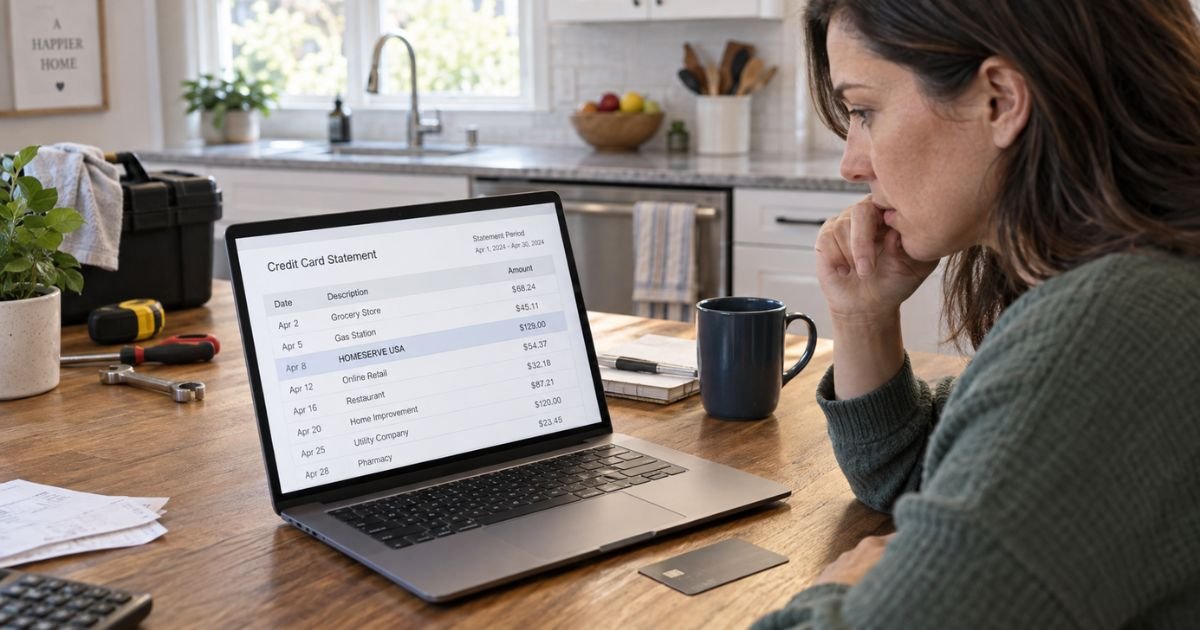
A HomeServe USA charge on credit card is typically connected to a HomeServe home repair protection plan. These plans can cover certain plumbing, water, sewer, electrical, heating, or cooling systems, depending on the coverage you selected.
HomeServe accepts major credit and debit cards and allows customers to make recurring plan payments. If you don’t remember signing up, check your account, emails, and previous utility-related offers before assuming the transaction is fraudulent.
What Is the HomeServe USA Charge on Your Credit Card?
HomeServe USA offers optional home repair protection plans to homeowners. The company says its plans are designed to help with eligible repair costs for household systems and service lines.
Depending on your plan, coverage may relate to systems such as:
- Exterior water lines
- Sewer or septic lines
- Interior plumbing
- Electrical systems
- Heating systems
- Cooling systems
- Water heaters
- Other covered home systems
The exact coverage depends on your individual contract and location. HomeServe advises customers to review their plan terms for specific limits, exclusions, and covered repairs.
HomeServe also states that it is an independent company and is separate from local utilities or communities. In some areas, however, HomeServe offers plans through relationships with utilities or other organizations.
This connection can sometimes make a HomeServe USA charge harder to recognize.
Why Is HomeServe USA Charging My Credit Card?
The most common explanation is an active HomeServe protection plan associated with your property.
HomeServe’s website states that customers can pay a monthly price for coverage. Its online account system also lets customers view scheduled payments, payment history, active plans, and payment methods.
Your charge could therefore represent:
- A monthly protection plan payment
- A payment for more than one active plan
- A payment after changing from utility-bill billing to direct card billing
- A renewed or continuing protection plan
- A one-time payment made through your HomeServe account
Don’t assume the amount should be the same for every customer. HomeServe’s available plans and pricing can depend on the property location and coverage selected.
Why Might the HomeServe Charge Suddenly Appear?
One possibility is a change in the way your plan is billed.
HomeServe’s FAQ explains that some customers may move from utility billing to another payment method. If you provide a new payment method, HomeServe says the card or account will typically be charged within three days of enrollment.
The timing can also make the first direct credit card transaction look unexpected.
HomeServe explains that a monthly charge previously placed on a utility bill can pay for the prior month of coverage. After switching payment methods, a new HomeServe payment may instead cover the upcoming month.
If you’ve recently changed utilities, moved, updated payment information, or received a notice about billing changes, review those records first.
How to Check Whether You Have a HomeServe Plan
If you aren’t sure whether you enrolled, start by checking your HomeServe account.
HomeServe’s online portal allows customers to review active plans, scheduled payments, payment history, and stored payment methods. Payment history includes the plan number, payment date, payment type, and payment amount.
You can also search your email for terms such as:
- HomeServe
- HomeServe USA
- Protection plan
- Service agreement
- Home repair plan
- Coverage confirmation
- Enrollment confirmation
- Plan renewal
Check previous bank or credit card statements as well. A recurring payment appearing around the same time each month may indicate an ongoing plan.
If another person manages household expenses, ask whether they enrolled in coverage.
Can HomeServe Appear Through a Utility Company?
Yes, HomeServe may offer protection plans in connection with utility companies or other partners.
For example, HomeServe’s partner pages explain that it may offer optional coverage to customers of certain utility providers. The company also makes clear that HomeServe remains separate from those utilities.
This distinction matters because you might remember receiving an offer featuring your utility company’s name but not immediately remember the HomeServe name.
Some customers can also have HomeServe charges included on a utility bill, while other programs bill customers directly. The billing arrangement depends on the particular partnership and plan.
Is the HomeServe USA Charge a Scam?
A charge carrying the HomeServe USA name isn’t automatically fraudulent.
HomeServe USA is an established provider of home repair protection plans and operates a current U.S. website where customers can manage coverage, payments, service requests, and cancellations.
However, that doesn’t prove that a particular charge on your card is authorized.
BBB records contain consumer complaints involving HomeServe billing, including disputed or unexpected charges. These reports reflect individual customers’ allegations and experiences and don’t establish that every HomeServe charge is improper.
Focus on whether you or another authorized cardholder actually agreed to the coverage.
How to Verify a HomeServe USA Charge
First, open the transaction in your credit card app or online account.
Note:
- The exact merchant descriptor
- Transaction amount
- Transaction date
- Whether it is pending or posted
- Whether similar charges appeared in earlier months
Then compare those details with your HomeServe account.
HomeServe says its payment portal lets you view payment history and scheduled payments for active plans. This can be one of the easiest ways to match a credit card transaction to a specific HomeServe plan.
You should also review the property linked to the plan. This is especially important if you’ve moved or own more than one property.
How to Cancel a HomeServe Plan
HomeServe currently provides several cancellation methods.
According to its official cancellation information, customers may cancel by phone, email, online account, webchat, contact form, or mail.
You can also cancel through your online account.
HomeServe’s instructions say to sign in, locate the relevant plan, open its details, select the cancellation option, provide a reason, and confirm the request. HomeServe says the cancellation request is then processed.
Keep proof of the cancellation, such as:
- A confirmation page
- Confirmation email
- Screenshot
- Date of cancellation
- Plan number
- Notes from a phone conversation
Cancellation and refunds aren’t necessarily the same thing. Any refund eligibility may depend on your particular contract, cancellation timing, claims already made, and applicable terms.
What If HomeServe Keeps Charging After Cancellation?
If you’ve already cancelled but another charge appears, check whether the payment covers a period before your cancellation became effective.
Then contact HomeServe and provide your cancellation confirmation.
If the company doesn’t resolve the issue, you can ask your credit card issuer about disputing the transaction.
Keep records showing:
- When you cancelled
- How you cancelled
- Any confirmation you received
- The disputed transaction date
- Previous correspondence with HomeServe
That documentation may help your issuer understand the dispute.
What to Do If You Never Signed Up for HomeServe
If you can’t find evidence of enrollment, first ask other authorized household members whether they recognize the plan.
If nobody recognizes it, contact your credit card issuer promptly.
Ask the issuer for any additional merchant information attached to the transaction. Sometimes your bank can see details that aren’t shown in the shortened statement descriptor.
If you believe your card was used without permission, tell the issuer specifically that you’re reporting a potentially unauthorized transaction.
The CFPB generally defines unauthorized credit card use as use by someone who doesn’t have the right to use the card.
Your issuer can explain whether a dispute, card replacement, or other security measure is appropriate.
How to Dispute a HomeServe USA Credit Card Charge
The CFPB recommends contacting your credit card company immediately when you find a charge you believe is incorrect.
For federal billing-error protections, the CFPB also says you generally need to send a written billing-error notice within 60 calendar days after the credit card company sent the statement containing the disputed charge.
Your written notice should generally include:
- Your name
- Your account information
- The disputed amount
- The transaction you are questioning
- An explanation of why you believe it’s incorrect
Follow the billing-dispute instructions on your statement. The address used for billing disputes may be different from the address where you normally send payments.
Keep copies of your documentation and note the dates of any calls.
Should You Replace Your Credit Card?
Replacing your card may be appropriate if your issuer believes the card information has been compromised.
However, simply replacing a card isn’t the same as properly cancelling a service you authorized.
If you knowingly enrolled in a HomeServe plan but no longer want it, cancel the plan using HomeServe’s available cancellation process.
If you never authorized the transaction, tell your issuer that clearly and follow its fraud procedures.
Continue reviewing future statements after taking action. This helps you catch another unexpected transaction quickly.
FAQs About HomeServe USA Charge On Credit Card
Q. What is HomeServe USA on my credit card statement?
A. It typically indicates a payment for a HomeServe home repair protection plan. Coverage can involve plumbing, water or sewer lines, electrical systems, heating, cooling, or other eligible home systems depending on your plan.
Q. Why am I being charged by HomeServe every month?
A. HomeServe offers protection plans that can be billed monthly. Check your HomeServe account’s active plans, scheduled payments, and payment history to identify the exact coverage connected with the recurring charge.
Q. How do I stop HomeServe USA charges?
A. If the charge belongs to an authorized plan you no longer want, cancel the plan through HomeServe. The company currently provides options including online cancellation, phone, email, webchat, contact form, and mail.
Q. Can I dispute a HomeServe USA charge I don’t recognize?
A. You may be able to dispute an unauthorized or incorrect credit card transaction. Contact your issuer promptly, and remember that federal billing-error protections generally require written notice within 60 days after the statement containing the charge was sent.
Conclusion
A HomeServe USA charge on credit card usually points to a home repair protection plan or related payment. Check your HomeServe account, previous statements, emails, and household members to determine whether the charge matches coverage you authorized.
If you no longer want an authorized plan, use HomeServe’s cancellation process and keep confirmation. If you can’t identify the charge or believe you never approved it, contact your credit card issuer promptly.
Disclaimer
This content is for informational purposes only and isn’t financial or legal advice. HomeServe policies, plan terms, charges, refunds, and card issuer procedures may vary. Verify account-specific questions directly with HomeServe, your financial institution, or your credit card issuer.